What is a webhook with the emfluence Connector?
For Webhooks In Emfluence
Please see: https://help.emailer.emfluence.com/create-a-form to create your form in Emfluence!
With webhooks, forms created on the emfluence platform can be configured to push data to both Salesforce and emfluence.
To begin, your Salesforce domain must have an established URL. If your Salesforce domain name has not been registered, you will be unable to complete the webhook steps.
Please see: https://help.salesforce.com/articleView?id=sf.domain_mgmt_overview.htm&type=5
After establishing your Salesforce URL, click New under the "Sites" section that will appear below the section you've just completed. Click "New" to create a new site for your Webhook.

Ensure the two fields for Site Label and Site Contact are completed.
Site Label should be: Emfluence Webhook (Otherwise the profile will be named differently than the instructions show)
Site Contact should be whoever is setting up the site.
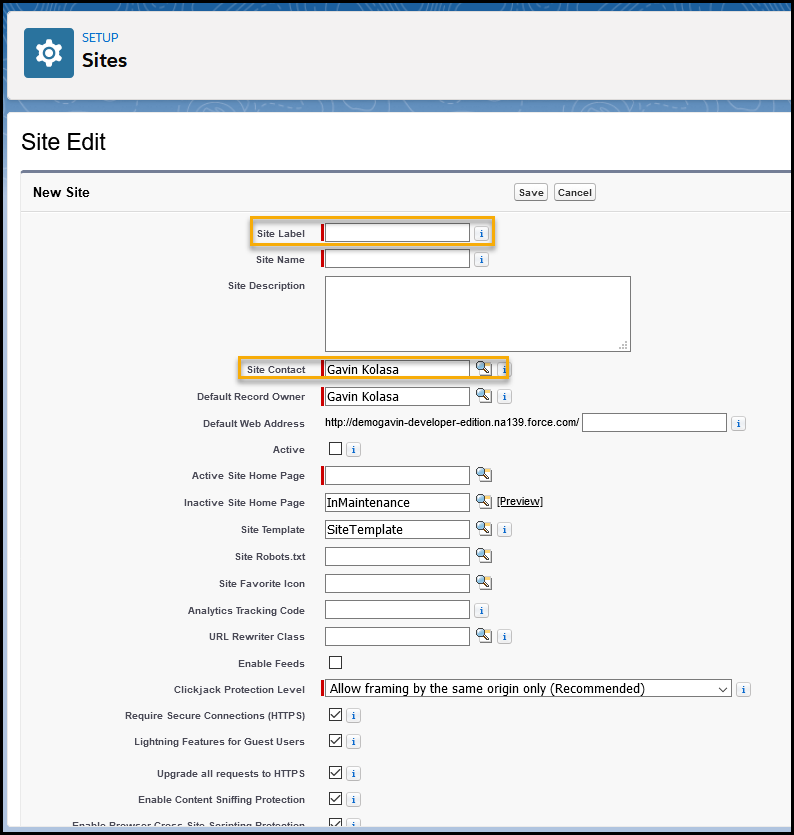
After completing those two fields, click "Save". We leave the remaining defaults as is.

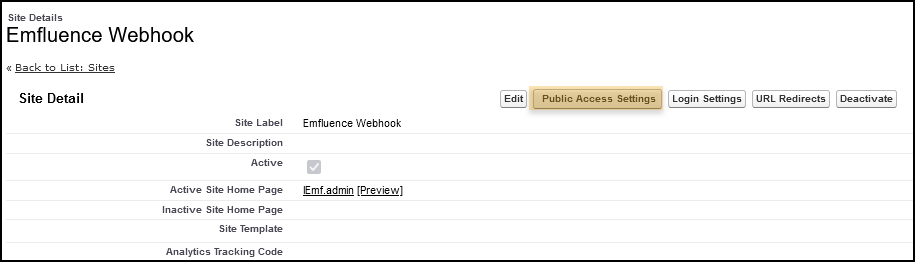
After saving your Webhook, click "Emfluence Webhook" (or whichever is named the correct on for your org).
Once your Webhook Site is open, click on "Public Access Settings".
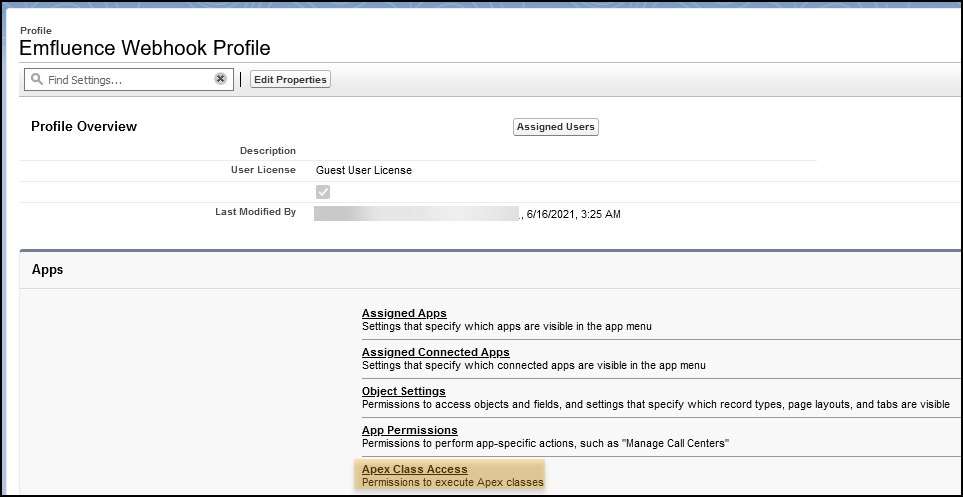
Next, scroll down and click on "Apex Class Access"
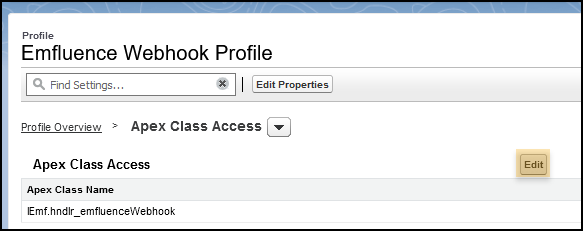
Click "Edit"
Locate "IEmf.hndlr_emfluenceWebhook" under Available Apex Classes and move it to the Enabled Apex Classes.
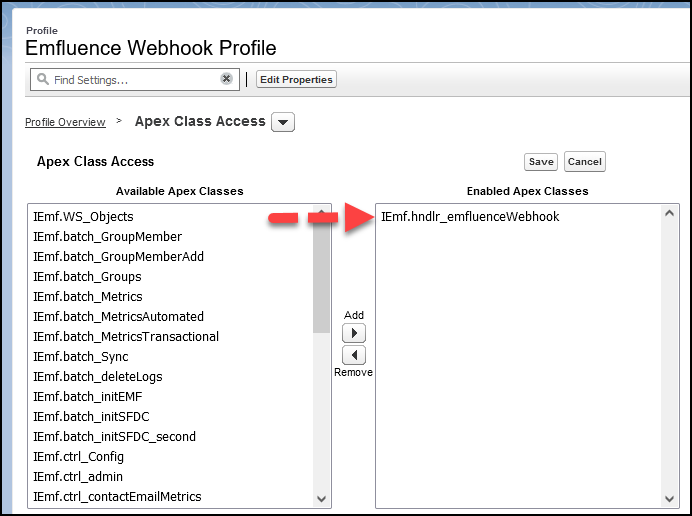
After the move is complete, click "Save".
The next steps will walk you through creating the URL to send to Emfluence for directing your Webhook from the Emfluence Platform, which will in-turn push data to Salesforce from Webhooks/Landing Pages created in Emfluence.
You will need two things to combined before sending to Emfluence: your webhook site URL and the Emfluence URL string required attached to it.
To locate your Webhook URL, go to "Sites" in Setup.
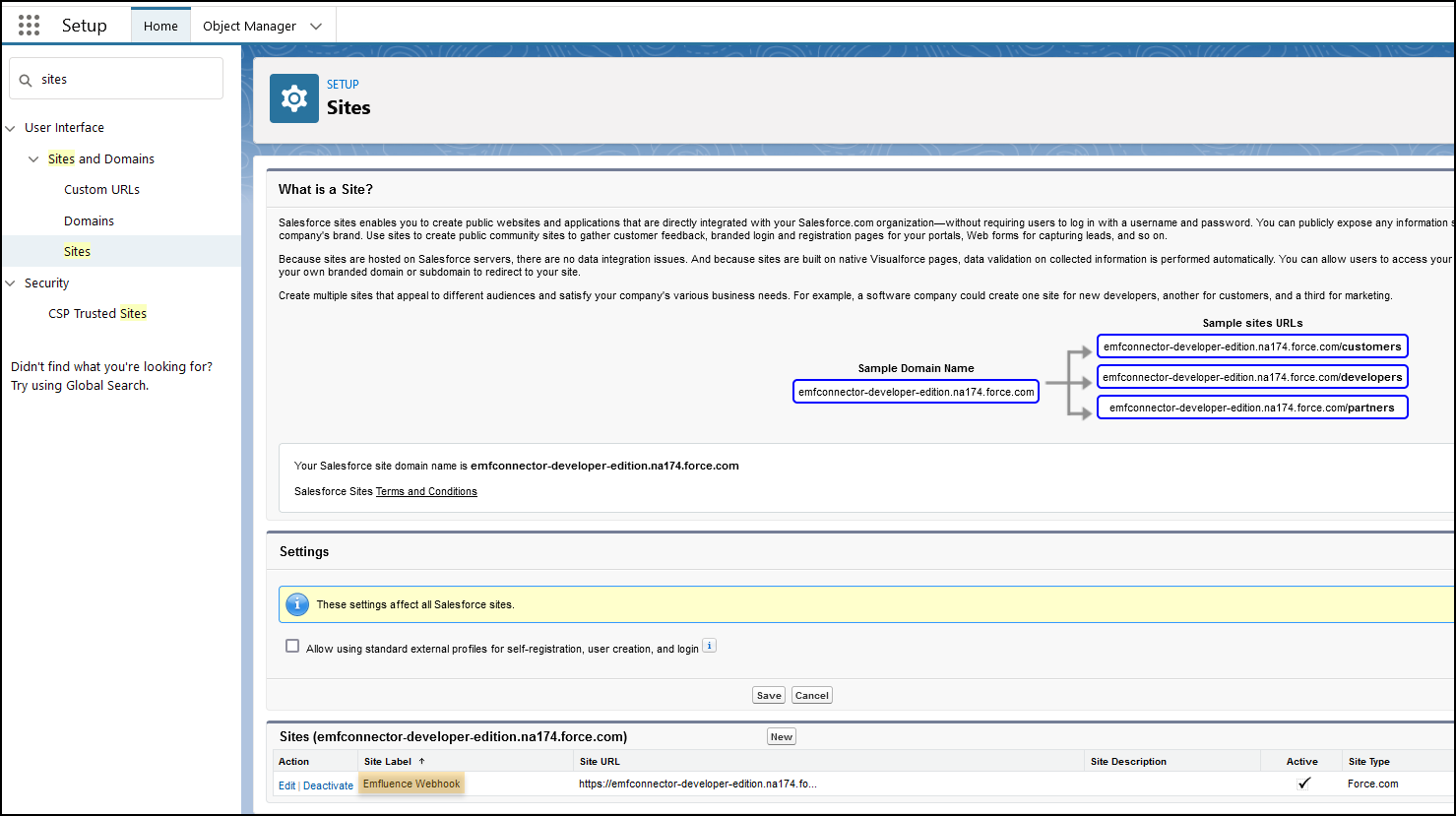
Click on the Site Label for your Webhook, ours is labeled "Emfluence Webhook".
From here, your Webhook URL in Salesforce will be displayed under Custom URLs.
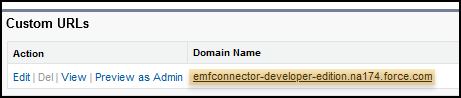
- Copy the URL to your notes
- Paste this URL string to the end of your Emfluence Webhook
/services/apexrest/IEmf/hndlr_emfluenceWebhook - Your URL should look something like this:
emfconnector-developer-edition.na174.force.com/services/apexrest/IEmf/hndlr_emfluenceWebhook
To note, your Salesforce URL will look different that the one listed above, but the ending string should not be altered.
Provide this URL to Emfluence and they will guide setup your Emfluence Webhook from this point on.
You've now completed setup for the Emfluence Webhook in Salesforce!