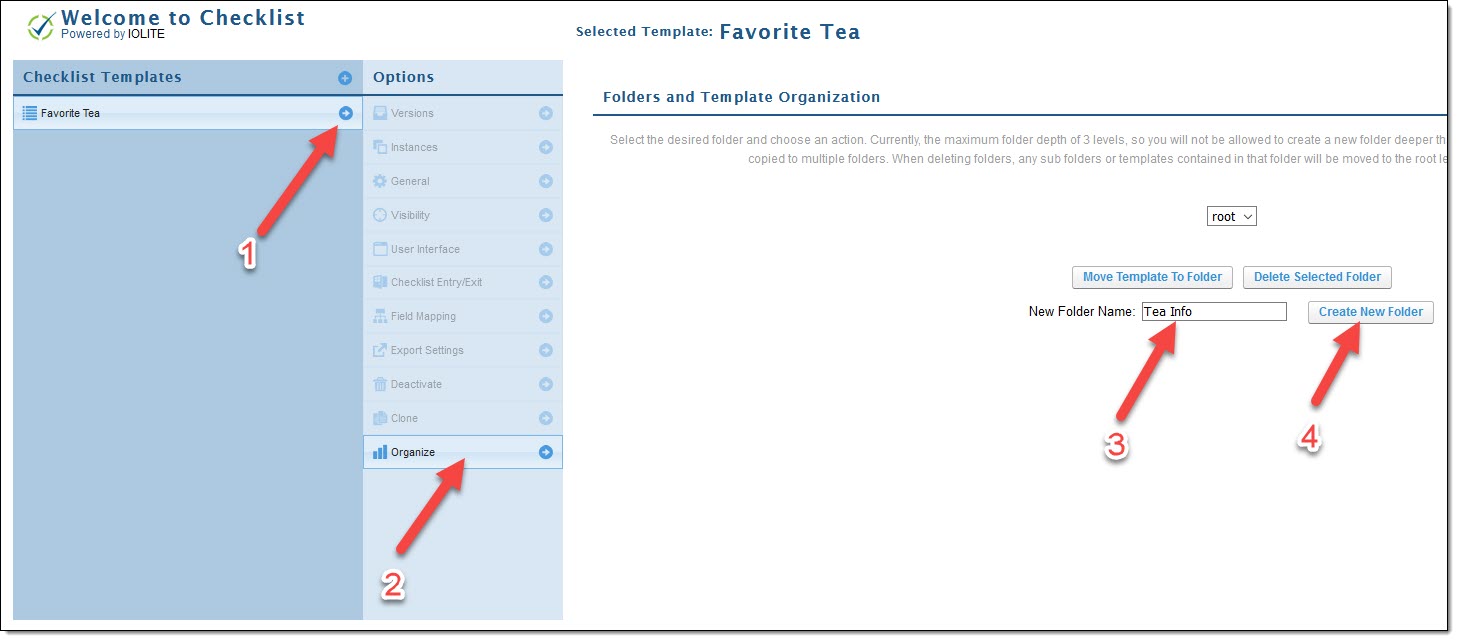
To create a folder, click on an available checklist template (if none are available, create a new checklist template)
- Click the arrow next to your selected checklist
- Click on "Organize" under the options navigation
- Add a folder name to "New Folder Name"
- Click "Create New Folder"
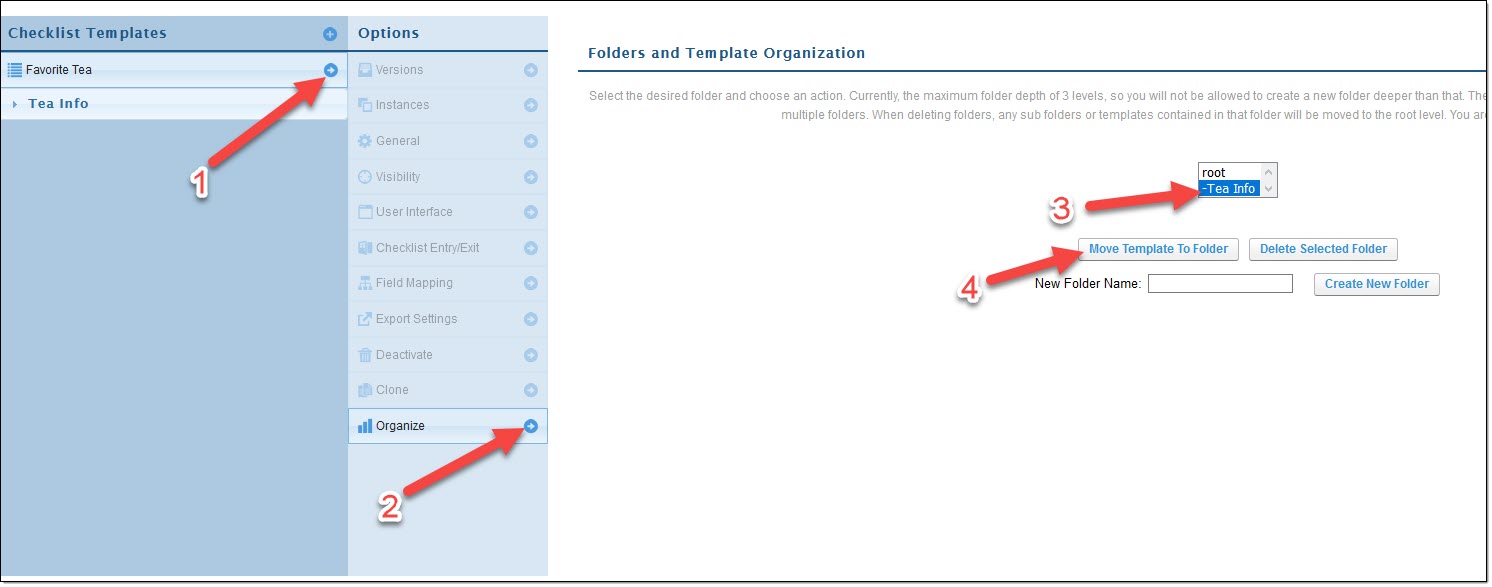
To move your checklist to the created folder, click on an available Checklist Template
- Click the arrow next to your selected checklist
- Click on "Organize" under the options navigation
- Click the targeted folder on the list displayed
- Click "Move Template To Folder"
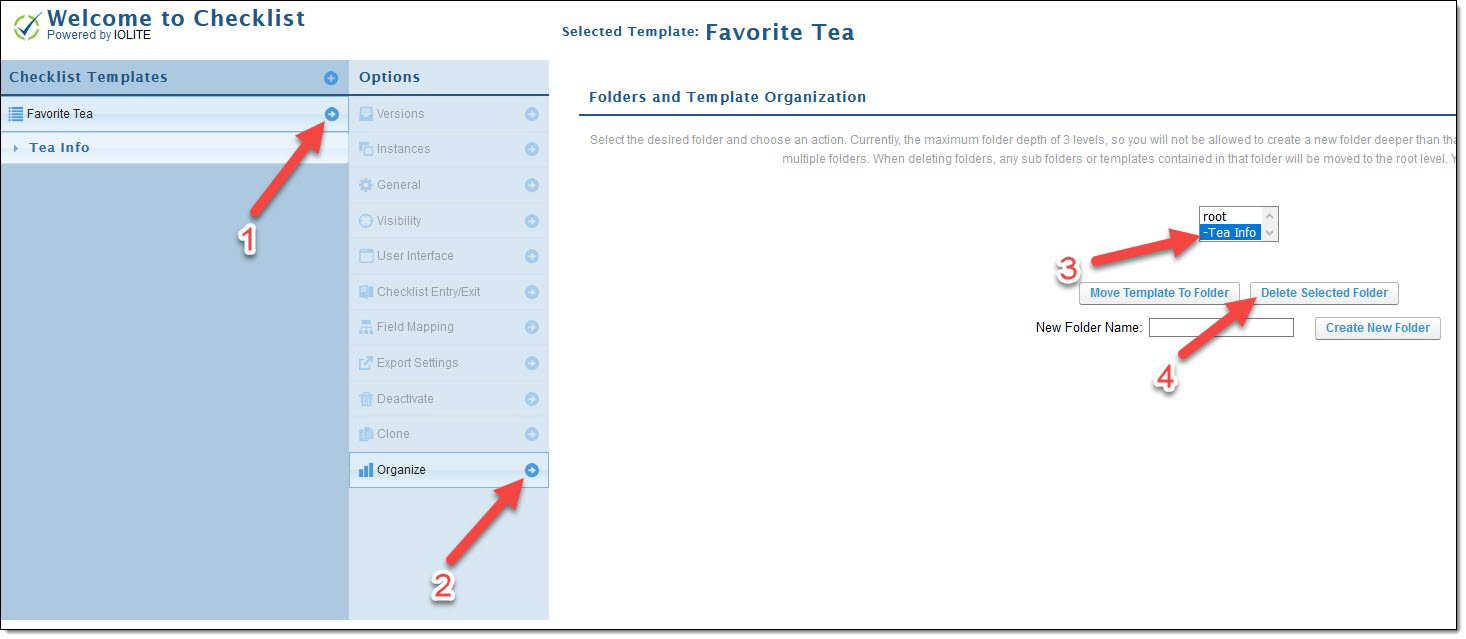
To delete a folder, click on any Checklist Template
- Click on "Organize" under the options navigation
- Select the folder you want to delete on the list displayed
- Click "Delete Selected Folder"
- If there are any checklists under a folder selected for deletion, those checklists will auto-move to the root folder
- If there are any checklists under a folder selected for deletion, those checklists will auto-move to the root folder