Launching Checklist
To Launch Checklist – access the Org you successfully installed the package on.
The app “IOLITE Checklist” should now show in your App Launcher in Salesforce.
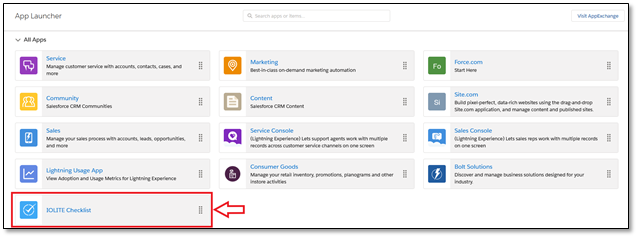
After the App Launches, a dashboard will load relevant default tabs
- Home
- Default Salesforce Dashboard Tab
- Admin Console
- Folder and Template Manager
- Access all folders and templates to create, modify, archive,and more.
- Checklists
- Active Checklists
- Application Logs
- Additional tabs can be added, as needed...