To begin editing your selected checklist, click on the checklist and go to "Versions"
- Click "Edit" to open a version in Development.

- Click the the pencil next to "Chapters" to begin your first Checklist section.
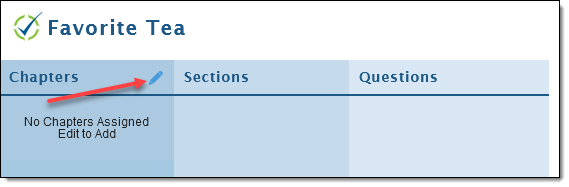
- If Chapters already exist, you can select one or multiple from a displayed list. If it does not exist, click "New Chapter".

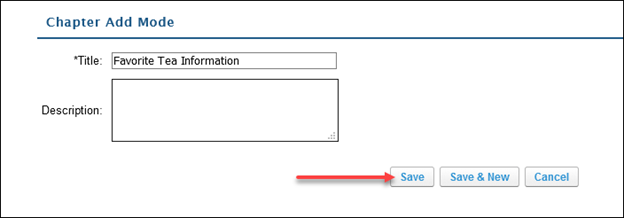
- Add your "Title" in the appropriate field.
- After adding a title, it is optional to add a description.
- Click "Save".
- After creating a Chapter, click the "+" button next to your created Chapter to add it.

- Click "Save" to save your Chapter in its current listed order.
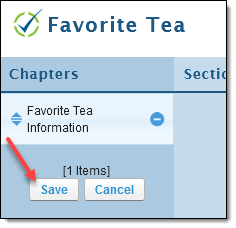
Your first Chapter is now created and you're ready to create sections!