To create a new Section, you must have an available chapter to create within. If you've not created a Chapter yet, return to the "Creating New Chapters" steps.
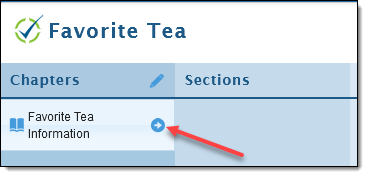
- On the targeted Chapter, click the arrow to open Sections.
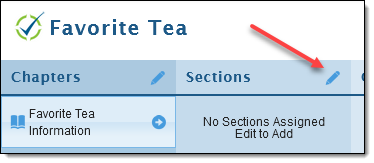
- Click the pencil next to sections (Similarly to Chapters.
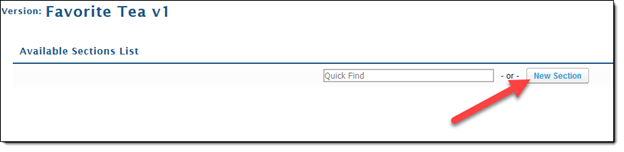
- Click on "New Section".
- Add your "Title" for the section being created.
- After adding a title, it is optional to add a description
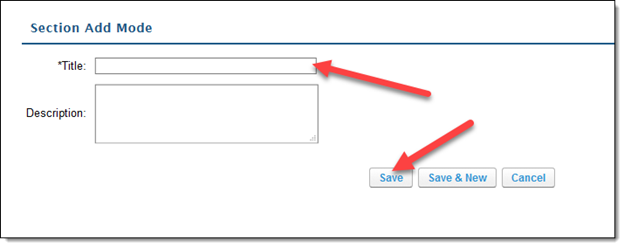
- After adding a title, it is optional to add a description
- After clicking "Save", your title will appear in a list for selection.
- Click the "+" sign next to the section you would like to add.
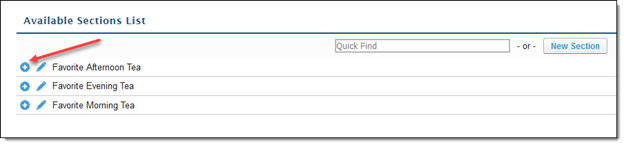
- Click the "+" sign next to the section you would like to add.
- Click "Save" when the appropriate sections are added.
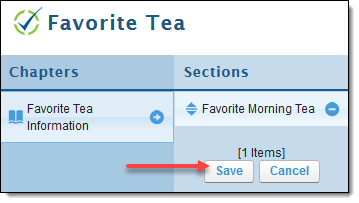
Your section is now added to your selected Chapter!