- After you've saved your Checklists with all necessary questions, matrices, etc. - navigate back to the admin console.

- Click into the appropriate Checklist Template that you want to deploy, then click on “Versions” under the Options column.
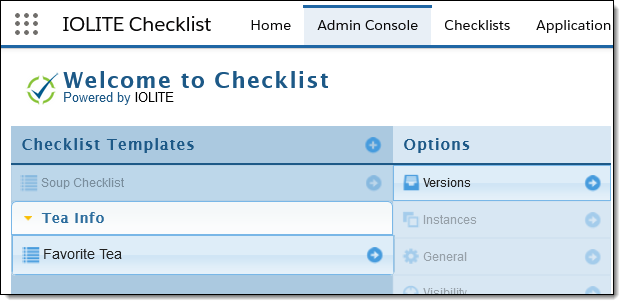
- After clicking Versions, your template should be available for deployment. Click “Deploy”.

WARNING:
If the template does not show a “Deploy” option and only says “Edit”, you may need to re-enter the template and save questions, matrices, etc.

- Click the “Deploy” button under Options to deploy your current checklist.
To Note: A deployed version CANNOT be modified after deployment. A new version must be created.
- After clicking “Deploy”, the deployed version will show under “Production Version (Currently Deployed)” and appear as the below. The “Status” will show Production with a “Started” date of the day of deployment, in this case it shows 10/29/20.

The selected checklist is now deployed and available for instance creation in Salesforce. (It cannot be selected users, yet.)