Instructions for an Authorized Support Agent
Congratulations for becoming an IOLITE Reseller! We're glad to have you on our team to help showcase the amazing technology for your Salesforce customers!
We want to make support for our shared customers as simple as possible - and so we've set up a simple site to manage support cases. You'll need to monitor and manage Cases in this tool as they occur.
Once you complete your Authorized Reseller Agreement - you will have to designate a representative (or representatives) who will be responsible for logging and managing support issues in the IOLITE Reseller Resource Center. This representative (or representatives) will need to receive a login ID into the IOLITE Reseller Resource Center. If you haven't yet performed this step, or if you haven't yet received this ID and require assistance, please log a Case using this link: https://www.iolitepro. com/submit-case
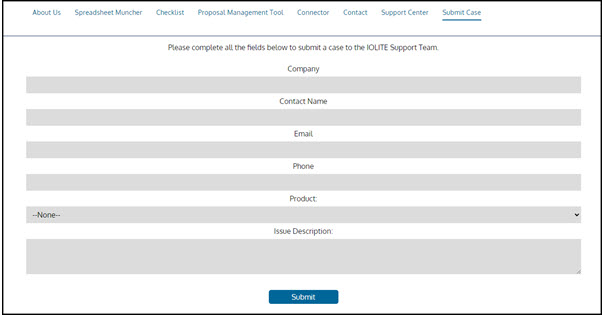
Once you've received your login credentials - you should be able to login to the IOLITE Reseller Resource Center. Please bookmark this link: https://iolite.force.com/reseller/s/
Once logged in, this home page will populate: 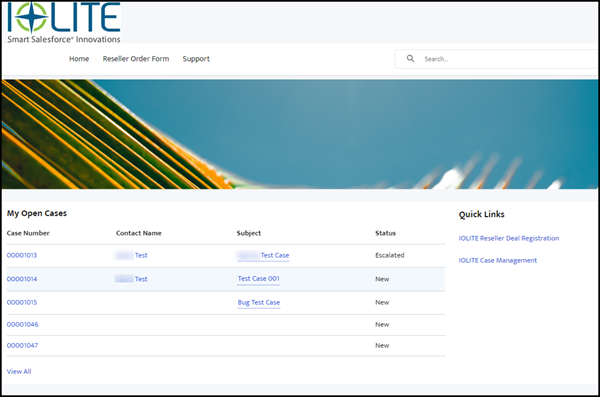
Resolving Cases that are generated by IOLITE:
Open Support cases will be listed at the bottom of this page. Click on the link for the Case number to open the Case.
There are three key components to engaging with the Case record. First, click on the "Case Acknowledged" checkbox. This alerts us that you have seen the case and have taken ownership of it.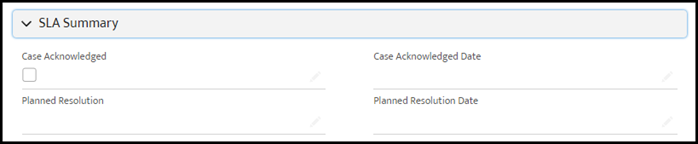
Our SLA is that any Case issued to our Reseller partner is acknowledged within 1 business day of when it is assigned.
Once you have acknowledged the Case, the next step is to determine the resolution for the case. Please update the Planned Resolution text and the Planned Resolution Date. Our SLA is that the Planned Resolution and Planned Resolution Date are updated within 1 business day of when the Case is Acknowledged.
As you are working on the Case, you can update the Case by updating Case Comments (on the right column).
Once you have completed and resolved the Case, update the Status to Closed. This will also update the Closed Date. Our SLA is that the Case is Closed no later than 1 business day after the Planned Resolution Date (although closing it on the expected date is preferred).
Please help us keep a good customer service experience for our combined customer by clearing Cases within the expectations that you set with our customers.
Initiating Cases that are started with the Reseller.
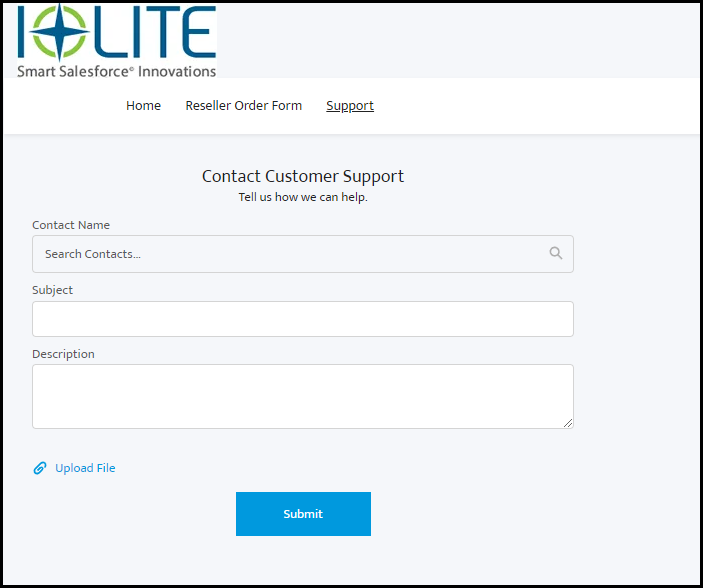
If a customer contacts you (the Reseller) first - but is asking a question that must be resolved by IOLITE, you can log into the Reseller Resource Center, and click on the Support tab at the top of the screen.
Once on the Support tab, select the name of the Contact reporting the issue (Note: there should already be a Contact in the IOLITE system for most Contacts - however - if there is not one that you can find via search, click the + New Contact button, and fill out the First Name, Last Name, Company (which should already exist) and email address. Any other information known is helpful but not required).